How to Make Size and Color Options Clickable in Your WooCommerce Store
Make Product Selection More Visual
These days, shoppers want to look before they take the leap of making a purchase, and when it comes to things like clothing, shoes, accessories, or even furniture, color and size matter more than anything. But the default WooCommerce setup isn’t really helpful here. It only gives you plain dropdowns that don’t say much about how a product looks.
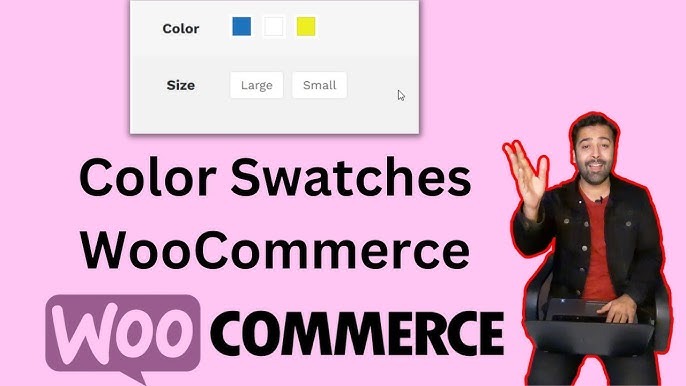
That’s where WooCommerce colour swatches come in. This feature changes those boring dropdowns into clickable color boxes, labels, or images so your customers can pick their options faster and more confidently. No more scrolling through dropdowns to guess what “Light Beige” or “Sky Blue” looks like.
With the Woo Variation Swatches plugin, you can display color samples, sizes, patterns, and more right on your product pages. Each variation becomes a clickable visual cue. It makes your store appear more clean, precise, and professional, where customers have all the options laid before them.
This may only be one small feature of such a plugin, but it does big things for your store! It helps your shoppers make decisions much faster and interruption-free. You take away the element of guessing when your customers make a purchase. It’s all there, right in front of them, easy to click and buy.
Why Use WooCommerce Colour Swatches
Using WooCommerce colour swatches is not just about good design. It’s about making shopping less confusing and more visual. When a buyer sees color circles or image previews, they can instantly understand the variety of your products.. You can present your items without having to say a single word, much better than you could have before.
If you’re selling items such as apparel, accessories, makeup, or home décor, this feature aligns perfectly with them. The moment someone clicks on a color or size, it updates the image, description, or even price in real-time. That’s a faster and more direct shopping experience.
Let’s say you own a clothing store. Instead of listing “Red,” “Navy,” or “Beige” in a dropdown, you show small colored circles. When your customer clicks on the red one, the shirt image changes to red. It’s simple, visual, and it feels more natural.
The Woo Variation Swatches plugin makes it even better. You can design your own color palette or upload custom images for textures like denim or leather. The plugin automatically replaces variation dropdowns across your store, giving every product a more modern and clickable layout.
Here’s why you might want this feature in your WooCommerce store:
- Customers can see product options visually
- Faster checkout since choices are easier to make
- Fewer returns caused by color or size confusion
- Better-looking product pages that attract attention
It’s a feature customers notice right away and one that often decides whether they’ll stay on your site or move on to another.
Setting Up WooCommerce Colour Swatches the Easy Way
Installing and setting up Woo Variation Swatches takes only a few steps, and you don’t need coding skills for it.
First, install and activate the plugin from your WooCommerce dashboard. After that, you’ll find a new settings option under “Products.” From there, you can choose how your variations appear—colors, labels, or images.
When adding new variations to a product, you’ll notice that each color or size can now have its own style. For color swatches, simply choose a color from the picker or upload an image to represent the variation. You can even assign custom sizes or borders to match your store’s look.
The plugin also gives control over tooltip text and hover effects. For example, when someone hovers over a color, a small label appears to describe it. That’s a neat way to keep your site tidy while still offering details.
After saving changes, all your variations will display as clickable buttons instead of dropdowns. This not only looks better but also makes your store feel more responsive. The best part is it’s compatible with almost any theme, so you don’t have to worry about design issues.
If you sell products with multiple variations, this setup can make product pages feel more organized and user-friendly. Customers get all the information they need without extra clicks.
Customizing the Look of Your Variation Swatches
You can get creative with WooCommerce colour swatches and adjust how they look and feel. Maybe your brand uses a bold color palette, or maybe you prefer softer tones—either way, you can style your swatches to match your site’s design.
Inside the plugin settings, you can set swatch shapes like square or rounded, define border thickness, add tooltips, and even decide how many swatches appear per row. This lets you design product options that actually fit your brand rather than looking generic.
If you want to show texture patterns, just upload custom images. For instance, if you’re selling fabrics or wallpapers, customers can click on the exact pattern instead of just reading its name. For stores selling shoes or apparel, label-based swatches work great for sizes like S, M, L, or XL.
You can also mix styles—use colors for one attribute and images for another. This gives you full flexibility in how your store’s products are displayed.
It’s small design details like these that create a stronger shopping experience. Your product options don’t just sit there—they stand out and guide customers to pick faster.
Final Thoughts on WooCommerce Colour Swatches
Adding color and size swatches might sound small, but it changes how people shop on your site. The Woo Variation Swatches plugin makes products easier to explore and choose, especially for stores with multiple variations.
It gives you control over how your products look and how customers interact with them. You can keep things simple or get creative with your designs. Either way, it’s a valuable addition that improves the buying journey without needing custom code.
So if you’ve been looking for ways to make your product pages more visual and reduce confusion for buyers, this plugin is worth trying out. It’s straightforward to set up, works with most WooCommerce themes, and does exactly what it promises.
Make every choice count and give your customers something they actually enjoy clicking on. With WooCommerce colour swatches, you’re not just showing products—you’re helping people see what they’re getting before they even hit checkout.